Potting Soil Calculator for Pots, Planters & Beds

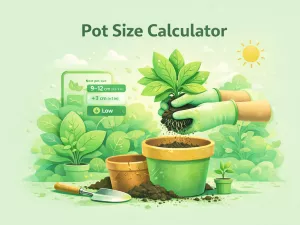
 This potting soil calculator helps you accurately estimate how much soil you need for pots, planters, raised beds, repotting, or surface layers. Enter container dimensions, choose the shape, and instantly get soil volume in liters, gallons, or cubic feet, plus an optional bag estimate. Designed to prevent overbuying and measurement mistakes.
This potting soil calculator helps you estimate how much soil you need for pots, planters, raised beds, repotting fill, or a thin soil layer. Enter simple dimensions, pick the container shape, and get a clear soil volume result with unit conversions and an optional bag estimate.
Potting Soil Calculator overview
This tool combines a Potting Soil Calculator and a Soil Volume Calculator in one place. It helps you estimate how much soil or potting mix you need for common projects: filling a pot or planter, topping up a raised bed, adding a soil layer, or estimating repotting fill around a root ball. Instead of guessing, you enter real dimensions, pick the shape, and get a clear volume with unit conversions and an optional bag estimate.
It is designed for practical decisions. You can quickly figure out how much mix to buy, avoid running out mid-planting, and prevent overpaying for extra bags you don’t actually need. The calculator adapts to different container shapes and measurement systems, so you can use it for small indoor pots, long balcony planters, or outdoor beds.
| What you are doing | Best mode to use | What you will enter | What you get |
|---|---|---|---|
| Filling a round pot or bowl planter | Pot / Planter | Diameter + height | Soil volume + conversions |
| Filling a rectangular planter or trough | Pot / Planter | Length + width + height | Soil volume + conversions |
| Filling a tapered pot | Pot / Planter | Top diameter + bottom diameter + height | Soil volume + conversions |
| Refilling a raised bed | Raised bed | Length + width + soil depth | Soil volume + optional extra |
| Repotting into a bigger pot | Repotting fill | New pot dimensions + root ball share | Estimated new soil needed |
| Top dressing or soil refresh layer | Soil layer | Area length + area width + thickness | Layer volume + conversions |
How much soil do I need — how it works
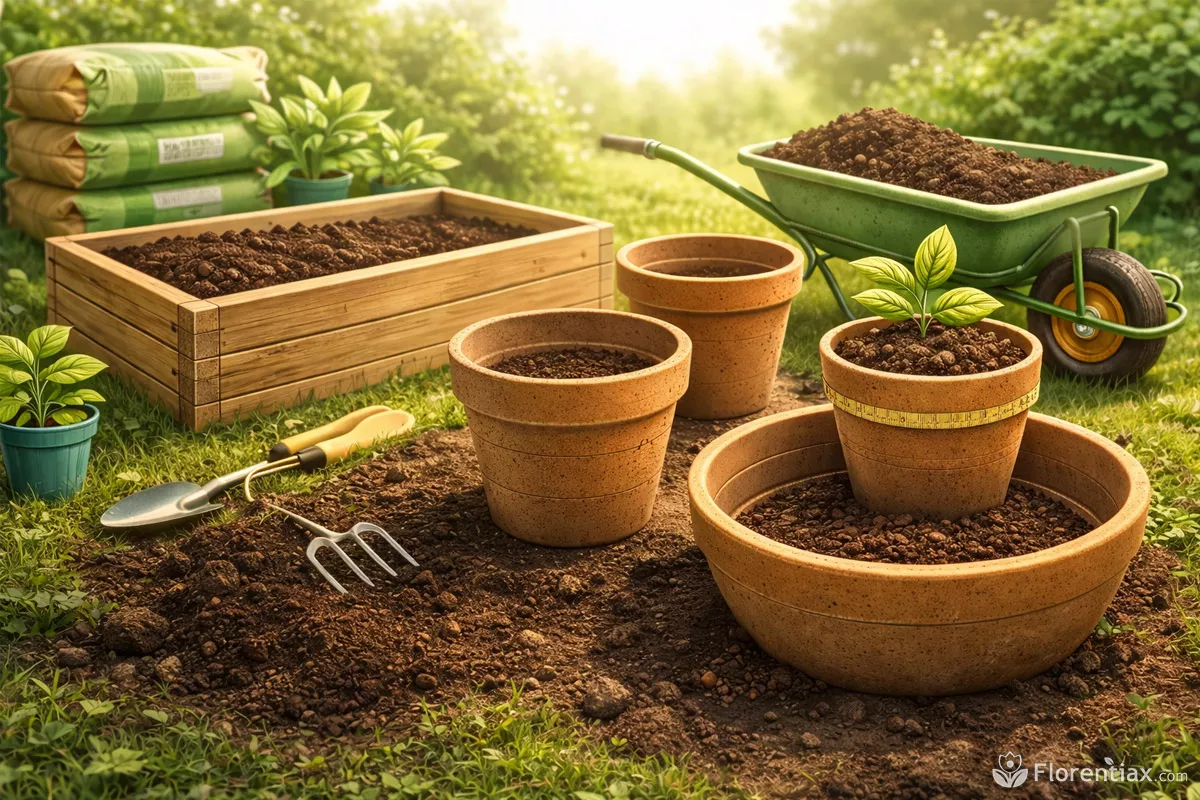
The calculator works by estimating volume, which is the amount of space soil occupies inside a container or area. When you select a shape and enter dimensions, it calculates the internal capacity using geometry that matches that specific container type. This is why choosing the correct shape matters: a rectangular planter holds a different amount of soil than a round pot with the same width.
Accuracy mostly depends on measurements. Inner dimensions are always more precise than outer ones because container walls, curves, and rims reduce usable space. Soil depth also matters: filling a pot to the rim requires more mix than leaving space at the top for watering.
Correct soil volume also affects how often you need to water. A proper mix depth makes it easier to follow a stable watering schedule without waterlogging or rapid drying.
Different shapes are calculated differently. Round containers are treated like cylinders, rectangular ones like boxes, and tapered pots like cone-shaped containers with different top and bottom widths. This ensures that the result reflects the real usable soil capacity rather than a rough estimate.
Calculator modes: pots, beds, layers, repotting
The calculator includes several modes so you can estimate soil volume for different real-life situations instead of using one generic formula. Each mode adjusts the logic and inputs to match how soil is actually used in gardening or planting.
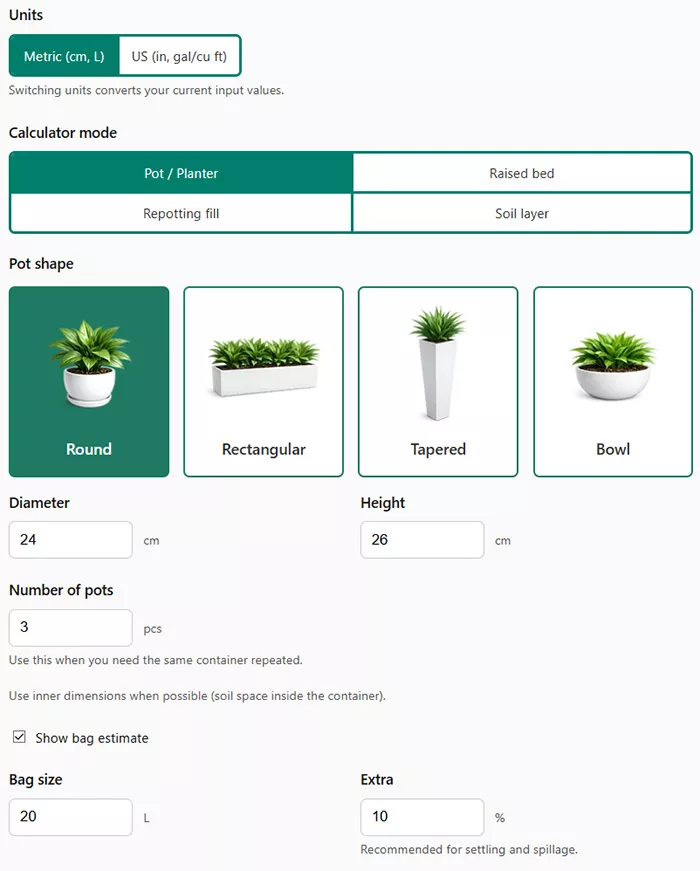
Pot / Planter mode
This mode is designed for containers. You can choose the shape and enter dimensions. It works for round pots, rectangular planters, tapered containers, and bowl-style shapes. The calculation focuses on internal volume, which is what determines how much soil you actually need.
Raised bed mode
This mode calculates soil volume for rectangular garden beds or boxes. You simply enter length, width, and soil depth. There is also an optional extra percentage that compensates for settling, uneven filling, and natural compression after watering.
Repotting fill mode
This option estimates how much new soil is required when moving a plant into a larger pot. Instead of calculating full container volume, it subtracts the space already occupied by the root ball. This produces a more realistic estimate of additional soil needed rather than total pot capacity.
If you are unsure whether the new container is the right size, use a repot size calculator first to choose an appropriate pot before estimating soil volume.
Soil layer mode
This mode calculates thin surface layers such as top dressing, soil refresh, mulch, or decorative layers. Since these layers are usually shallow, the calculator focuses on area and thickness rather than container volume.
Using the correct mode ensures that your result matches the real scenario. Choosing the wrong one can lead to noticeable overestimates or shortages, especially when dealing with shallow layers or repotting situations.
Soil volume and light work together. Once your container is properly filled, use a PPFD calculator to ensure the plant receives enough usable light for healthy growth.
Bag estimate and volume conversions
Once volume is calculated, the tool converts the result into multiple units so you can understand it instantly and shop for soil without extra calculations. You can switch between metric and US systems at any time, and the values automatically convert while keeping proportions accurate.
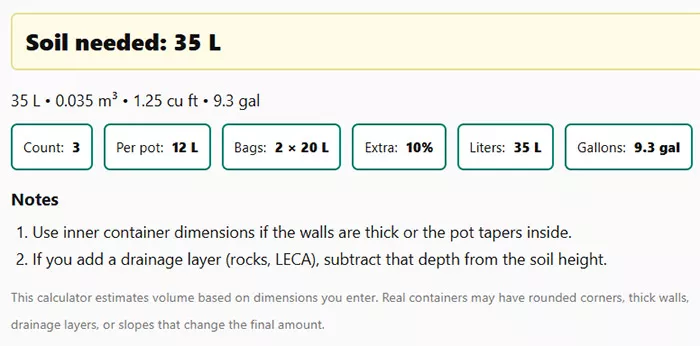
The bag estimate option helps turn volume into a purchase plan. Instead of guessing how many bags to buy, the calculator divides the total volume by your selected bag size and rounds up. This rounding is intentional because soil is rarely measured perfectly in real life, and a small surplus is safer than running out during planting.
| Unit type | Best used for | Why it helps |
|---|---|---|
| Liters | Indoor pots and small containers | Precise and easy to compare with bag labels |
| Cubic feet | Large outdoor projects | Common unit on bulk soil packaging |
| Gallons | Container gardening | Useful for pot size comparisons |
| Cubic meters | Large landscaping jobs | Standard measurement for bulk delivery |
For the most practical results, match the calculator’s unit system with the unit printed on the soil bags you plan to buy. This avoids conversion mistakes and speeds up planning.
How to measure pot and container dimensions
Accurate measurements are the key to reliable soil estimates. Even small errors in diameter, width, or depth can noticeably change the final volume. The calculator assumes you enter usable internal dimensions, which means the actual space soil will fill — not the outer size of the container.
Basic measuring principles
- Measure inside, not outside. Wall thickness reduces soil capacity, especially in ceramic or concrete pots.
- Measure straight across the widest points. For round containers, measure diameter from inner rim to inner rim.
- Check height from bottom to soil level. If you leave space for watering, subtract that distance. This small gap at the top helps maintain proper moisture levels and supports consistent indoor watering, especially for houseplants sensitive to excess moisture.
- Use consistent units. Stick to either centimeters or inches for all inputs.
For tapered containers, you must measure both top and bottom diameters. This shape holds less soil than a straight cylinder, so entering only one diameter would overestimate volume. Rectangular planters require length and width measured along the inside edges.
If your container has rounded corners or curved sides, measure the straight internal span rather than the outer curve. The calculator uses geometric formulas, so realistic dimensions always produce the most accurate result.
Practical tips and common mistakes
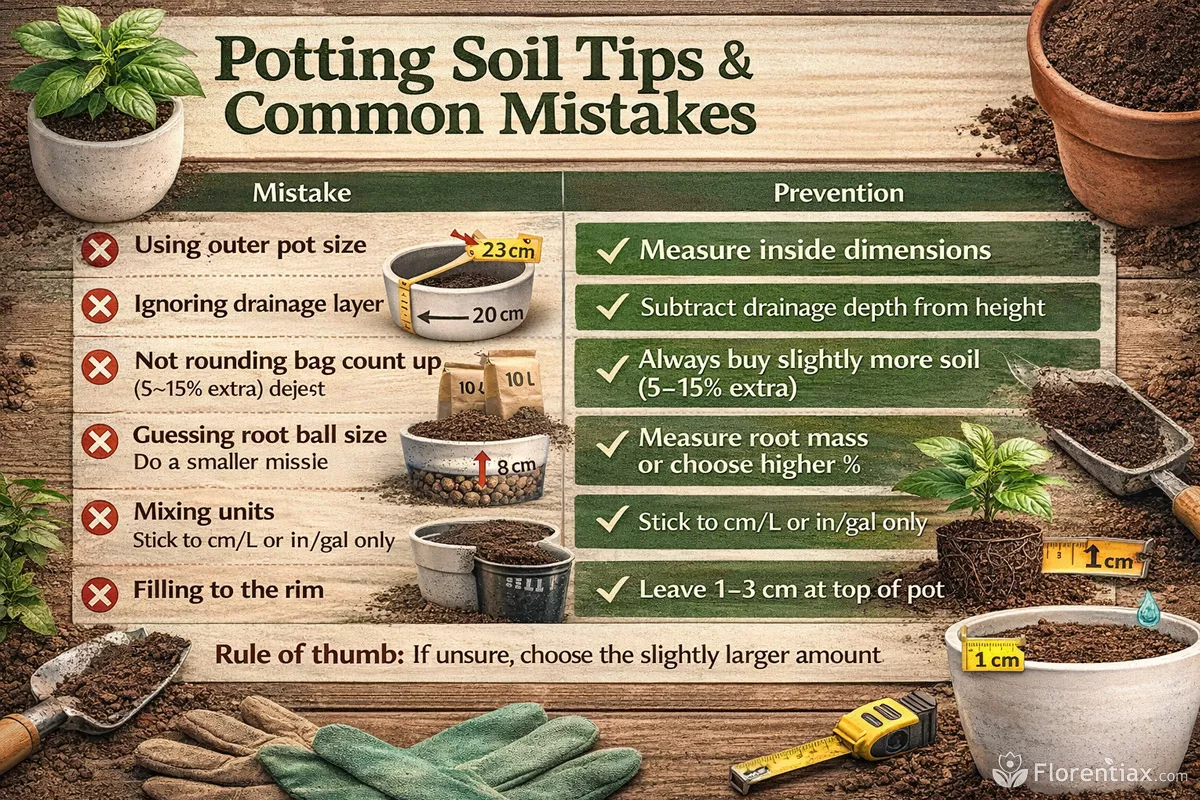
Most soil estimation errors happen because of measurement mistakes or incorrect assumptions about how containers fill. Understanding the most common pitfalls helps you avoid buying too much or too little mix.
| Mistake | Why it causes errors | How to avoid it |
|---|---|---|
| Using outer pot size | Walls and base thickness reduce real volume | Always measure inside dimensions |
| Ignoring drainage layer | Rocks or LECA displace soil space | Subtract drainage depth from height |
| Not rounding bag count up | Exact division leaves you short | Always buy slightly more soil |
| Guessing root ball size | Repotting estimates become inaccurate | Measure root mass or choose higher % |
| Mixing units | Incorrect conversions distort volume | Stick to one unit system |
| Filling to the rim | No watering space left | Leave 1–3 cm at top of pot |
Incorrect soil volume often leads to overwatering or poor drainage, which is one of the most common causes of yellow leaves in container plants.
A simple rule: if you are unsure between two measurements, choose the slightly larger value. Soil compresses after watering and settling, so a small buffer prevents shortages. Professional growers almost always add 5–15% extra soil to their calculations for this reason.
Popular questions and answers
This section covers the most practical and frequently asked questions about calculating soil volume, measuring containers, choosing the right amount of mix, and avoiding common buying mistakes. If you want accurate results and efficient planting, these answers clarify how to use the calculator correctly and interpret its numbers.
1. How accurate is the soil calculator?
The calculator is mathematically precise because it uses real geometric formulas for each container type: cylinders for round pots, prisms for rectangular planters, truncated cones for tapered pots, and volume layers for flat surfaces. Accuracy mainly depends on your measurements. If you enter correct internal dimensions, the result is usually within a few percent of real soil volume.
2. Should I measure inside or outside dimensions?
You should always measure the inside of the container. Outer measurements include wall thickness, which does not hold soil. Thick ceramic or concrete pots can reduce usable space by several centimeters, which significantly changes total volume.
3. Why does repotting mode show less soil than full pot volume?
Because the calculator subtracts the portion already occupied by the plant’s root ball. When you repot, you don’t fill an empty container — part of it is already taken. The root percentage setting estimates how much space roots occupy so you only calculate the soil needed to fill remaining gaps.
4. How do I estimate root ball percentage correctly?
If you removed the plant from its pot, you can visually estimate the root mass relative to the container size. Tight, dense roots usually occupy 70–90%, while younger plants often fill only 40–60%. When unsure, choose a slightly higher percentage so you don’t overbuy soil.
5. Why does a tapered pot hold less soil than a straight pot?
Tapered containers narrow toward the bottom, reducing internal volume even if the top opening looks large. A pot that appears wide can actually hold less soil than a straight cylinder of the same height. That’s why the calculator asks for both top and bottom diameters.
6. Should I include drainage layers in my measurements?
No. If you plan to add stones, gravel, or LECA at the bottom, subtract that layer’s thickness from the height value. Otherwise the calculator assumes the entire height will be filled with soil and the result will be too high.
7. How much extra soil should I buy?
Professionals usually add 5–15% extra. Soil compresses after watering and settling, and some is lost during filling or mixing. Buying slightly more prevents running short in the middle of planting.
8. Why does the calculator show both liters and cubic feet?
Different regions use different volume units. Liters are standard internationally, while cubic feet and gallons are common in US gardening products. Showing both lets you match results directly with soil bags sold in your local stores.
9. Can I use this calculator for raised beds?
Yes. Raised beds use simple length × width × depth volume calculations. This mode is especially helpful when filling new beds, topping up existing soil, or estimating compost amounts for seasonal replenishment.
10. What happens if I enter measurements in different units?
Mixing units leads to incorrect results. For example, entering length in inches and width in centimeters distorts volume dramatically. Always use one system consistently — either metric or US — for all dimensions.
11. Why does soil sometimes seem less than the calculated amount?
Loose soil contains air pockets. After watering, gravity pulls particles closer together and the level drops. This settling effect is normal and is exactly why adding a small extra percentage is recommended.
12. Is this calculator useful for mulch or top dressing?
Yes. The layer mode is designed specifically for thin applications like mulch, compost layers, or soil refreshes. Instead of calculating container volume, it estimates the material needed to cover a surface at a chosen thickness.
Tip: If you want the most reliable estimate, measure twice and calculate once. Even a 1–2 cm measurement correction can noticeably change final soil volume.